
Let me tell you something that’ll save you roughly half a million dollars:
Most startups don’t fail because they built the wrong product. They fail because they built anything at all before understanding their users through proper UX design research.
I know. It sounds dramatic. But stick with me.
You’ve got a brilliant idea. Your co-founder thinks it’s genius. Your mom says it’ll change the world (though she also said your middle school band was “really something”). And now you’re ready to hire developers and start building.
Here’s the problem: 80-95% of new products fail within their first year according to Harvard Business Review. Not because the code was bad. Not because the UX design was ugly. But because nobody actually wanted what was built.
That’s where UX design research comes in. And no, it’s not just “asking users what they want” (spoiler: that’s actually the worst thing you can do). It’s a systematic UX design process of understanding human behavior, validating assumptions, and building products people will actually use.
This guide will walk you through the complete UX research process—from creating proto personas when you’re still figuring things out, all the way to usability testing that catches problems before they cost you six figures to fix.
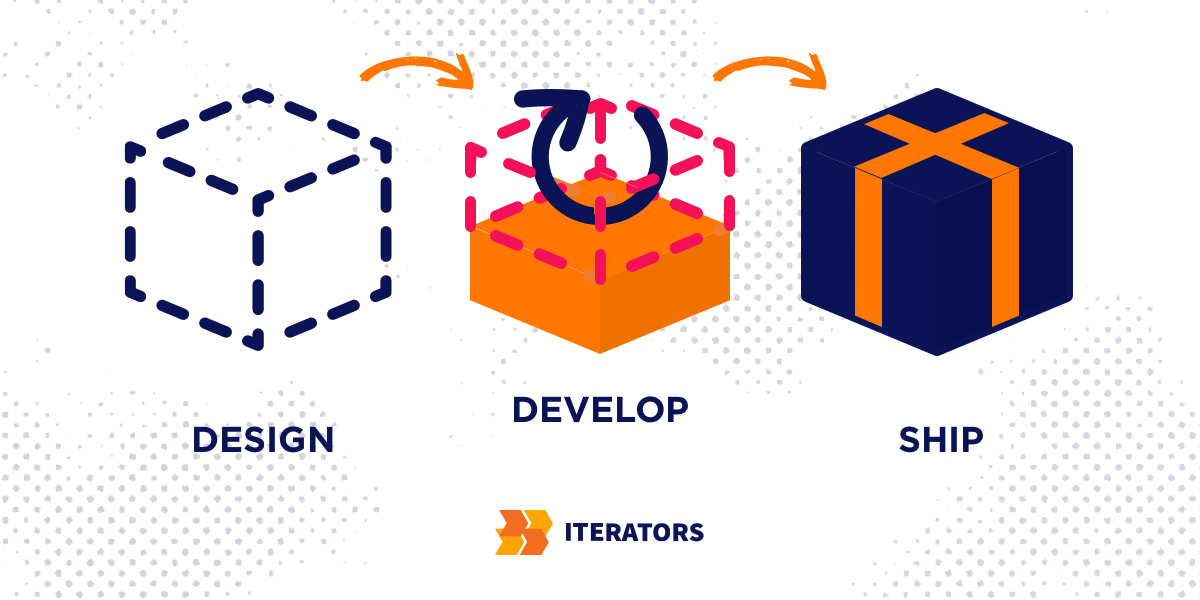
Ready to build something people actually want? At Iterators, we don’t just develop software—we help you validate ideas and design user experiences that drive real business results. Our teams combine UX design research with technical expertise to ensure you’re building the right product from day one. Schedule a free consultationand let’s discuss how to turn your brilliant idea into a product users love (and pay for).
Why the UX Design Research Process Actually Matters (And What It Costs to Skip It)
Let’s talk about money. Because I know you’re thinking: “We’re a startup. We need to move fast. We don’t have time for research.”
Fair. But here’s what “moving fast” without research actually costs:
The 10x Rule of Pain
There’s this thing called the “10x rule” in software development. It means that fixing a bug gets exponentially more expensive as it moves through your development pipeline:
- Find it during design? 1x cost (basically free)
- Find it during development? 6x cost (annoying but manageable)
- Find it during testing? 15x cost (starting to hurt)
- Find it in production? 100-1,000x cost (catastrophic)
Why? Because once you’ve built the wrong thing, you’re not just rewriting code. You’re dealing with:
- Retroactive data fixes
- Customer support nightmares
- Lost trust (the most expensive thing to rebuild)
- Competitive disadvantage while you’re fixing what should’ve worked from day one
Real ROI Numbers
The return on UX design investment isn’t some feel-good metric. It’s documented at 9,900% ROI according to Forrester Research—every dollar invested returns an average of $100.
Here’s how that breaks down:
| Metric | Impact | Why It Matters |
|---|---|---|
| Conversion Rate | Up to 400% increase | Removing friction in checkout flows |
| Development Rework | 50% reduction | Clear requirements before coding |
| Customer Acquisition Cost | 33% reduction | Research-backed messaging |
| Time to Market | 33-50% faster | Better decision-making |
| Shareholder Return | 56% higher | Market rewards for differentiation |
Companies that prioritize UX design-led growth outperform their peers in revenue growth by 10x and maintain 89% retention rates.
The Trust Gap
Here’s something that should terrify you if you’re building AI products: Only 46% of people trust AI systems despite 71% of organizations using them. Building this UX design capability requires both research expertise and design execution—learn more about our UX/UI design services that combine user research with world-class interface design.
What does this mean? The primary differentiator for future AI products won’t be raw capability—it’ll be transparency and user control. And you can’t design for trust without understanding what makes users feel safe.
For fintech companies, the stakes are even higher. 91% of consumers say a bank’s digital capabilities are a primary factor in their choice of provider. If your UX design is clunky, they’re gone. And they’re taking their money with them.
“The biggest threat to your company isn’t hackers stealing your data—it’s your own assumptions stealing your users’ trust before you even launch.”
Understanding the Complete UX Design Research Process
Alright, enough doom and gloom. Let’s talk about how to actually do this.
The UX design research process isn’t some mystical design ritual. It’s a structured framework with four distinct phases:
Phase 1: Discovery
Starting with proto personas and stakeholder interviews. This is where you formalize your “best guesses” about who you’re building for.
Phase 2: Exploration
User interviews, contextual inquiry, and mental model mapping. This is where you learn what users actually do (not what they say they do).
Phase 3: Validation
Usability testing, A/B testing, and preference testing. This is where you watch real people struggle with your designs and fix the problems before launch.
Phase 4: Synthesis
Making sense of everything you’ve learned and turning insights into actionable product decisions.
Here’s the key insight most people miss: These UX design phases don’t happen once. They’re continuous. You’re not ‘doing UX design research’ and then ‘building the product. You’re doing UX design research while building the product, in tight feedback loops.
Modern UX design teams run weekly touchpoints with customers. They treat every UX design assumption as a hypothesis to test. They build small UX design experiments instead of big bets.
This is what Teresa Torres calls ‘Continuous UX Design Discovery—and it’s how you avoid becoming another statistic in the 80% failure club.
Phase 1: UX Design Discovery – Starting with Proto Personas
Let’s start at the beginning. You have an idea. You think you know who it’s for. But you don’t have time or budget for weeks of deep user research.
Enter: proto personas.
What Are UX Design Proto Personas?
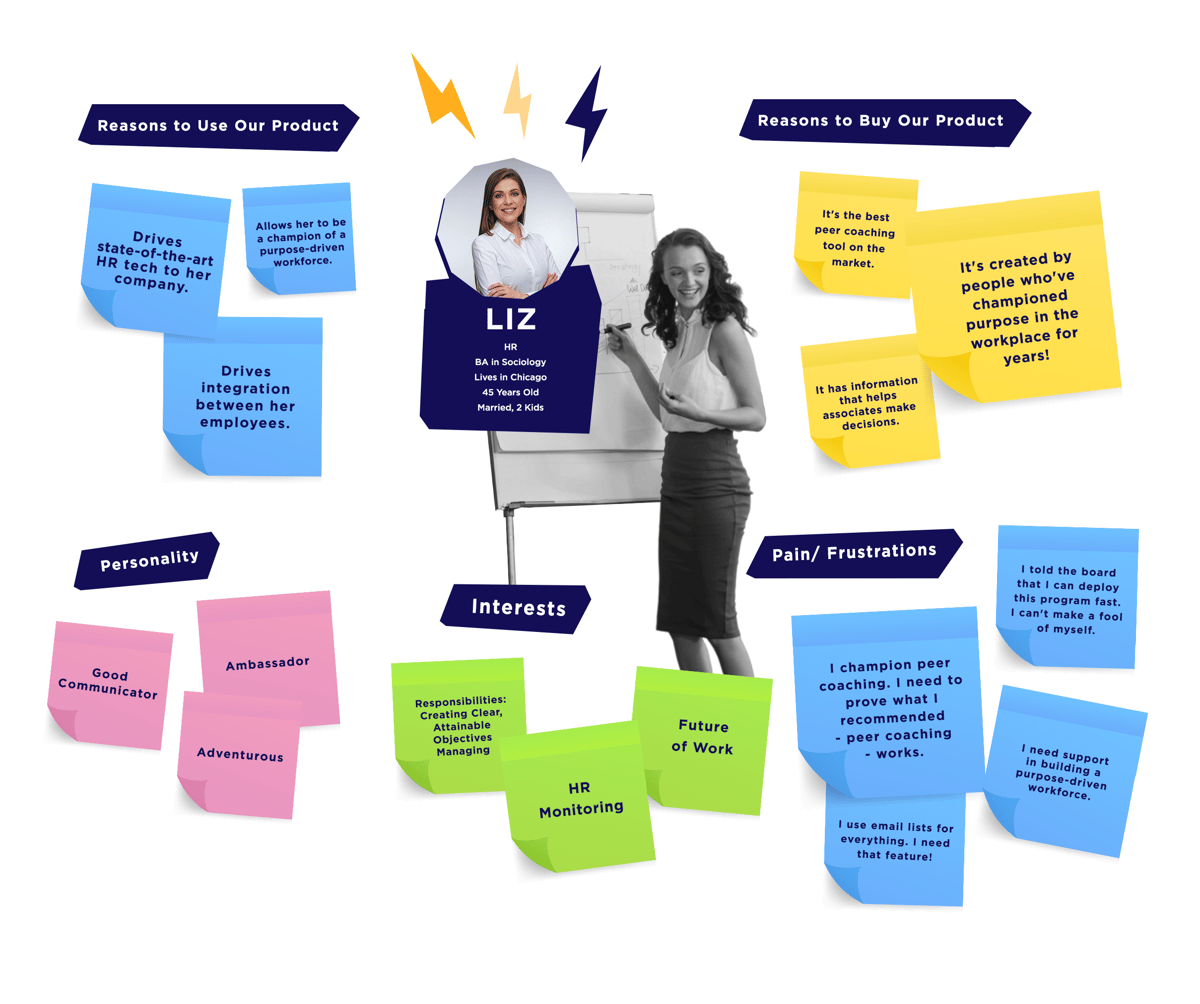
UX design proto personas are assumption-based user models that you create before doing extensive research. They’re your team’s “best guess” about who you’re building for, documented in a structured format.
Think of them like a rough sketch before you paint the full picture. You wouldn’t start a painting by immediately trying to capture every detail—you’d sketch the basic shapes first to make sure the composition works.
Proto personas serve the same purpose. They give your UX design team a shared starting point to test against, ensuring your initial UX design wireframes and information architecture are grounded in some user context rather than random feature brainstorming.
How to Create Proto Personas (Step-by-Step)
Here’s the actual process:
1. Gather Your Stakeholders
Get everyone who has opinions about your users in a room (or Zoom). This includes:
- Founders
- Product managers
- Designers
- Sales/customer success (if you have them)
- Anyone who’s talked to potential users
2. Run a Structured Workshop
Use this template to capture what you think you know:
Background
- Role and environment (where do they work? what’s their day like?)
- Demographics (age range, location, tech-savviness)
Behaviors
- How do they currently solve this problem?
- What tools do they use?
- What’s their decision-making process?
Pain Points
- What frustrates them about current solutions?
- What makes them want to throw their laptop out a window?
Goals
- What does success look like for them?
- What would make them heroes at their job?
3. Create 2-4 Distinct Personas
Don’t try to capture every possible user. Focus on your primary segments. For example:
- “Successful Visionaire” – The executive who needs high-level transformation
- “Climbing Exec” – The manager who needs to prove ROI to their boss
- “Climbing Startuper” – The founder who’s drowning in details
Each persona should feel like a real person, not a demographic report.
4. Document and Share
Create one-page summaries for each persona. Use them in every UX design review. Reference them when making UX design product decisions.
Proto Personas vs. Validated Personas
Here’s the critical distinction:
Proto personas are assumptions. They’re what you think is true based on your team’s collective knowledge.
Validated personas are evidence-based. They’re built from actual user interviews, analytics data, support tickets, and behavioral patterns you’ve observed.
The UX design goal is to start with proto personas and evolve them into validated personas as you collect real data.
The “Vibe Coding” Trap
A quick warning: Don’t confuse proto personas with “vibe coding.”
Vibe coding is when someone who doesn’t know how to code uses AI to throw together features without understanding the user journey. It’s building “mediocre pasta” because it’s easier, not because it’s good.
Proto personas are different. They’re a structured UX design starting point that you know you’ll need to validate. They’re not the end—they’re the beginning of a process.
“The difference between a proto persona and wishful thinking is whether you’re committed to testing it against reality.”
Common Mistakes to Avoid
DON’T:
- Treat proto personas as final truth
- Create too many personas (stick to 2-4)
- Make them demographic reports instead of behavioral models
- Skip the validation step
DO:
- Update them as you learn more
- Focus on behaviors and goals, not just demographics
- Use them to drive design decisions
- Plan specific research to validate or invalidate them
Phase 2: UX Design Exploration – User Interviews and Contextual Research

Now that you have your proto personas, it’s time to test them against reality.
This is the exploration phase—where you go out and talk to actual humans to understand their world.
Planning Your UX Design User Interviews
UX design user interviews are your primary tool for understanding why people do what they do. But here’s the thing: most people are terrible at UX design interviewing users.
They ask leading questions. They ask users what they want. They accept surface-level answers without digging deeper.
Here’s how to do it right:
The First Rule of UX Design User Research
Never ask users what they want.
I know. It sounds counterintuitive. But here’s why it matters:
Users are great at telling you what they’ve done and why they did it. They’re terrible at predicting their future behavior or inventing solutions to their problems.
If you’d asked people in 2006 what they wanted in a phone, nobody would’ve said “a touchscreen computer with no keyboard.” But that’s what they needed.
The Chronological Interview Technique
Instead of asking “What do you want?”, ask them to walk you through their last experience with the problem you’re solving:
- “Tell me about the last time you [tried to solve this problem].”
- “What happened first?”
- “Then what did you do?”
- “Why did you choose that approach?”
- “What was frustrating about that?”
This UX design technique—sometimes called ‘excavating the story—gets you real UX design behavioral data instead of hypothetical wishes.
Sample Interview Questions
Here’s a starter UX design script for a 30-minute user interview:
Opening (5 minutes)
- “Thanks for taking the time. I’m going to ask you about how you [do specific task]. There are no right or wrong answers—I’m just trying to understand your experience.”
- “Can you tell me a bit about your role and what a typical day looks like?”
Main Exploration (20 minutes)
- “Walk me through the last time you [specific task related to your product].”
- “What tools did you use? Why those?”
- “What was the most frustrating part?”
- “What would’ve made it easier?”
- “How often do you do this? What triggers it?”
Closing (5 minutes)
- “Is there anything I should’ve asked but didn’t?”
- “If you could wave a magic wand and change one thing about this process, what would it be?”
Recruiting Participants on a Budget
“But we don’t have money for user research!”
I hear you. Here’s how to recruit without breaking the bank:
Free/Low-Cost Channels:
- Your Network
- Post on LinkedIn asking for introductions
- Reach out to industry Slack/Discord communities
- Ask your investors for intros to relevant users
- Social Media
- Post on Twitter/X with specific criteria
- Use relevant hashtags and tag influencers in your space
- Join Facebook groups where your users hang out
- Guerrilla Recruiting
- Go where your users are (conferences, coworking spaces, specific locations)
- Offer a $25 Starbucks card for 20 minutes of their time
- Use tools like Calendly to make scheduling easy
Paid Platforms (Worth It):
- User Interviews – Access to millions of targeted participants
- Respondent – Great for B2B and specialized roles
- Askable – End-to-end participant management
Budget $50-100 per participant for 30-60 minute interviews. Five participants will give you 85% of the UX design insights you need.
Other Exploration Methods
UX design user interviews aren’t the only tool. Consider:
Contextual Inquiry
- Shadow users in their actual UX design environment
- Watch them work without interrupting
- Ask questions about what you observe
Diary Studies
- Have users log their experiences over time
- Great for understanding patterns and frequency
- Tools: Dscout, Indeemo
Mental Model Mapping
- Understand how users think about the problem space
- Identify gaps between their mental model and your product model
Common Mistakes to Avoid
Leading Questions
- ❌ “Don’t you think it would be great if…?”
- ✅ “How do you currently handle…?”
Confirmation Bias
- ❌ Only talking to people who love your idea
- ✅ Actively seeking out skeptics and edge cases
Taking Feedback Literally
- ❌ User says “I want feature X” → You build feature X
- ✅ User says “I want feature X” → You ask “Why? What problem would that solve?”
“Assumptions are insults. Every time you design based on what you think users need instead of what they actually do, you’re essentially saying ‘I know better than you about your own life.’ Spoiler: You don’t.”
Phase 3: Validation – Usability Testing and Beyond
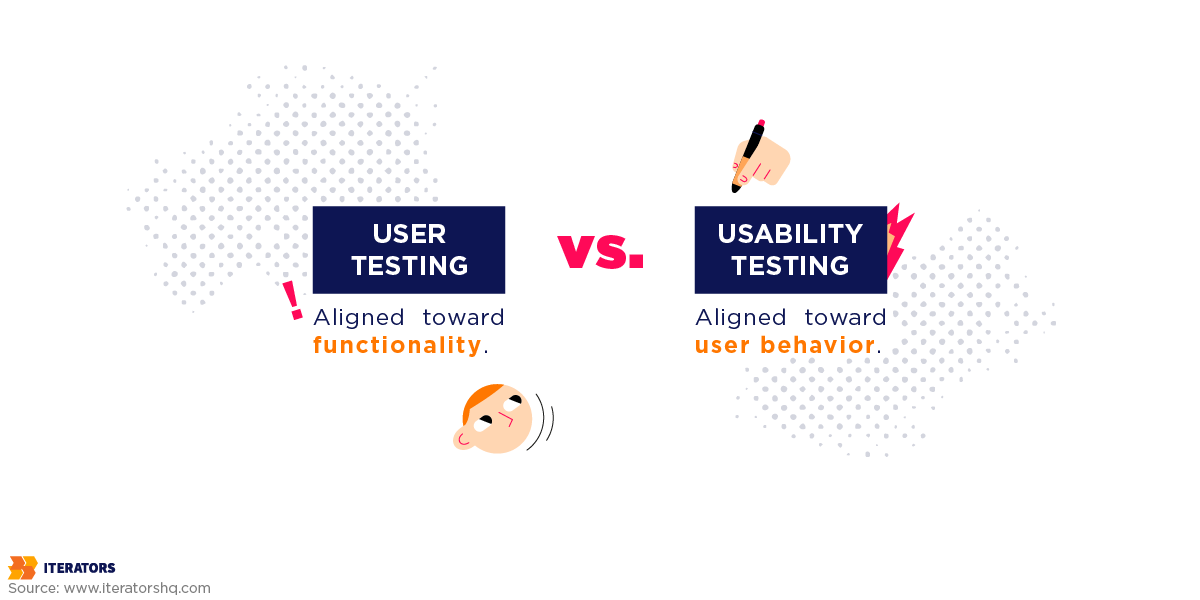
You’ve talked to users. You’ve built some designs. Now it’s time to watch people try to use them.
This is UX design usability testing—and it’s where you’ll discover that your “intuitive” interface makes zero sense to actual humans.
What Is UX Design Usability Testing?
UX design usability testing is the process of watching real users complete specific tasks with your product while thinking aloud.
You’re not asking them what they think. You’re observing what they do.
The UX design goal is to identify friction points—places where users get confused, frustrated, or stuck—before you ship.
How to Conduct Usability Testing (Step-by-Step)
1. Define Your Tasks
Pick 3-5 core tasks users need to complete. For example:
- “Sign up for an account”
- “Find and purchase a product”
- “Upload and share a document”
Make them realistic scenarios, not abstract commands. Instead of “Click the upload button,” say “Your boss asked you to share last quarter’s report with the team. Show me how you’d do that.”
2. Recruit Participants
You need 5 users for qualitative UX design testing. That’s it.
This is Jakob Nielsen’s UX design ‘Rule of Five‘—the first user reveals about 33% of usability issues, and by the fifth user, you’ve caught 85% of major problems.
UX design testing more than five users in a single round is usually a waste of resources. Instead, run multiple small rounds throughout development.
3. Create a Test Script
Keep it simple:
Introduction (2 minutes)
– “Thanks for helping us test this. I’m going to ask you to complete some tasks.”
– “Please think aloud as you work—tell me what you’re looking at, what you’re thinking.”
– “Remember: We’re testing the design, not you. If something doesn’t make sense, that’s our fault, not yours.”
Tasks (20 minutes)
– “Imagine you need to [scenario]. Show me how you’d do that.”
– [Watch. Take notes. Don’t help unless they’re completely stuck.]
Wrap-up (5 minutes)
– “What was the most confusing part?”
– “What worked well?”
– “Any other thoughts?”
4. Observe and Document
During the test:
- Don’t interrupt or guide them
- Do ask “What are you thinking?” if they go silent
- Do note every moment of confusion or hesitation
- Do record the session (with permission)
After the test:
- Note severity of each issue (critical, major, minor)
- Count how many users hit the same problem
- Prioritize fixes based on impact and frequency
How Many Users Do You Need?
This depends on what you’re measuring:
Qualitative Testing (Finding Problems)
- 5 users = 85% of usability issues discovered
- Run multiple rounds of 5 as you iterate
Quantitative Testing (Measuring Success Rates)
- 20-40 users minimum for statistical significance
- Use this when you need hard numbers for stakeholders
For startups, test early and often with small groups beats one big test at the end.
Remote vs. In-Person Testing
Remote Testing
- ✅ Cheaper, faster, access to wider geography
- ✅ Users in their natural environment
- ❌ Harder to read body language
- Tools: Zoom, Lookback, UserTesting.com
In-Person Testing
- ✅ Better observation of physical reactions
- ✅ Easier to build rapport
- ❌ More expensive, limited geography
- ❌ Lab environment may not reflect real usage
For most startups, remote testing is the way to go. You’ll get 90% of the insights at 10% of the cost.
Other Validation Methods
A/B Testing
- Test two versions to see which performs better
- Great for optimizing conversion flows
- Requires enough traffic for statistical significance
Preference Testing
- Show users two designs, ask which they prefer and why
- Quick way to validate visual direction
- Tools: UsabilityHub, Maze
Card Sorting
- Understand how users expect information to be organized
- Critical for navigation and IA
- Tools: Optimal Workshop, UserZoom
Krug’s Laws of Usability
Steve Krug’s book “Don’t Make Me Think” gives us three fundamental laws:
First Law: Don’t Make Me Think
- Every element should be self-evident
- Users shouldn’t have to puzzle out how things work
Second Law: It Doesn’t Matter How Many Times I Have to Click, as Long as Each Click is Mindless
- Reduce cognitive load, not just clicks
- Each choice should be obvious
Third Law: Get Rid of Half the Words on Each Page, Then Get Rid of Half of What’s Left
- Users scan, they don’t read
- Every unnecessary word is friction
Common Usability Mistakes
Problem: Question Marks in Users’ Minds
Every time a user has to pause and think “What does this mean?” or “Where do I click?”, you’re losing them.
Solution: Clarity Trumps Consistency
If you can make something significantly clearer by breaking a design convention, do it. Your job is to eliminate confusion, not follow rules.
Problem: Too Many Choices
Hick’s Law: The more choices you present, the longer it takes to decide. Decision fatigue is real.
Solution: Progressive Disclosure
Show only what’s necessary at each step. Hide advanced options until they’re needed.
Problem: Ignoring Conventions
Users expect the logo in the top left. They expect search in the top right. Fight these conventions and you’re adding friction for no reason.
Solution: Innovate Where It Matters
Use familiar patterns for navigation and core interactions. Save your creativity for solving the actual problem your product addresses. Sometimes breaking conventions creates breakthrough experiences—analyze 5 TikTok UI choices that made the app successful to see when rule-breaking works.
“The goal of usability testing isn’t to make users feel smart. It’s to make your product so obvious that they don’t have to think at all.”
Phase 4: Synthesis and Implementation
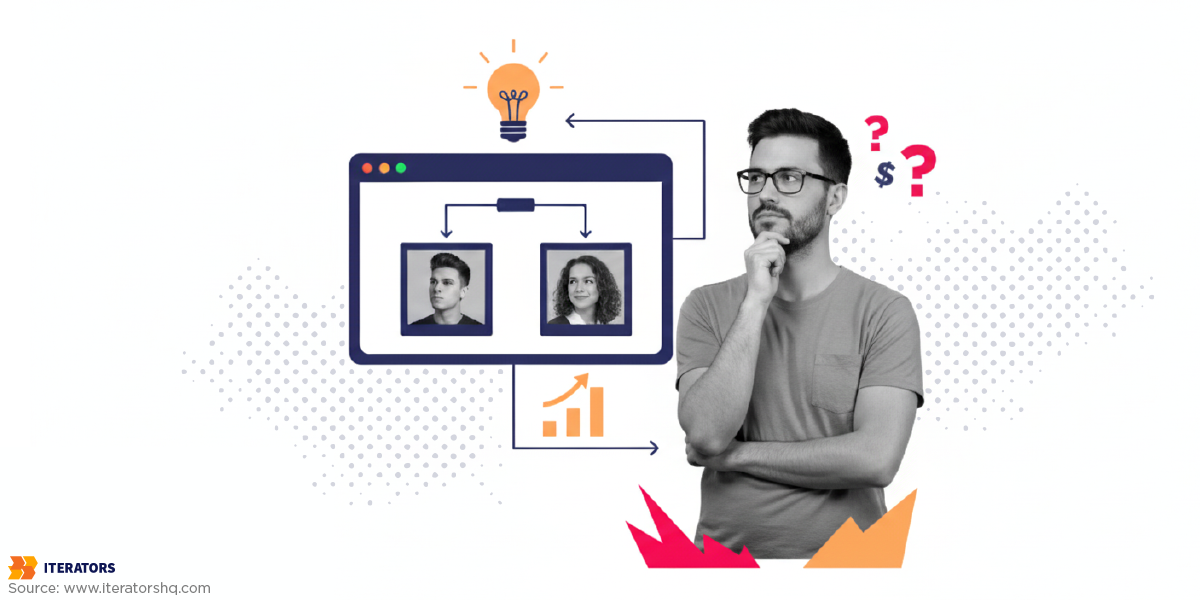
You’ve done the research. You’ve watched users struggle. You’ve got pages of notes and hours of recordings.
Now what?
This is the UX design synthesis phase—where you turn raw observations into actionable product decisions.
Making Sense of Your UX Design Research Data
The primary UX design tool for synthesis is the affinity map (also called cluster mapping).
Here’s how it works:
1. Externalize Everything
Get all your observations out of your head and into a shared space:
- Every quote from users
- Every behavior you observed
- Every pain point mentioned
- Every moment of confusion
Write each one on a sticky note (physical or digital).
2. Silent Clustering
Have your team group related notes together without talking. This prevents groupthink and lets natural patterns emerge.
Common themes might be:
- “Trust barriers”
- “Navigation confusion”
- “Pricing concerns”
- “Feature requests”
3. Name Your Clusters
Once notes are grouped, label each cluster with a theme. These become your key insights.
4. Prioritize by Impact
Not all insights are equally important. Use this framework:
| Impact | Frequency | Priority |
|---|---|---|
| High | High | Fix immediately |
| High | Low | Fix soon |
| Low | High | Consider fixing |
| Low | Low | Ignore for now |
From Insights to Action
UX design synthesis isn’t just about identifying problems—it’s about deciding what to do about them.
Bad synthesis: “Users find the checkout process difficult.”
Good synthesis: “4 out of 5 users abandoned checkout when asked for their phone number. They didn’t understand why we needed it. Recommendation: Make phone number optional or add explanation text.”
Every UX design insight should lead to a specific, testable change. Understanding how research insights translate into both UX strategy and UI implementation is crucial—our article on UX vs UI differences explains how research informs both strategic and visual design decisions.
Creating Research Deliverables
Depending on your audience, you might create:
For Executives:
- One-page summary of key findings
- Top 3 recommendations with business impact
- Video clips of users struggling (nothing convinces like seeing it)
For Product Teams:
- Detailed findings report with quotes and evidence
- Prioritized list of issues with severity ratings
- Updated user personas based on what you learned
For UX Designers:
- Annotated wireframes showing problem areas
- User journey maps highlighting pain points
- Design principles based on user mental models
Using AI for Synthesis
AI is getting scary good at research synthesis. Tools can now:
- Transcribe and tag interview recordings
- Identify sentiment patterns across conversations
- Generate “Pixar-style” journey narratives that build stakeholder buy-in
- Create first-draft affinity maps
This saves about 20% of synthesis time. But—and this is critical—humans still need to do the strategic problem framing.
AI can tell you what the patterns are. Only you can decide which patterns align with your competitive advantage.
Common Synthesis Mistakes
Confirmation Bias
- Only highlighting findings that support what you wanted to build anyway
- Solution: Actively look for disconfirming evidence
Analysis Paralysis
- Spending weeks synthesizing instead of acting
- Solution: Set a deadline. Perfect analysis isn’t the goal—good-enough decisions are.
Ignoring Negative Feedback
- Dismissing critical findings as “outliers”
- Solution: If multiple users struggle with something, it’s not an outlier
Integrating UX Design Research with Your Development Process
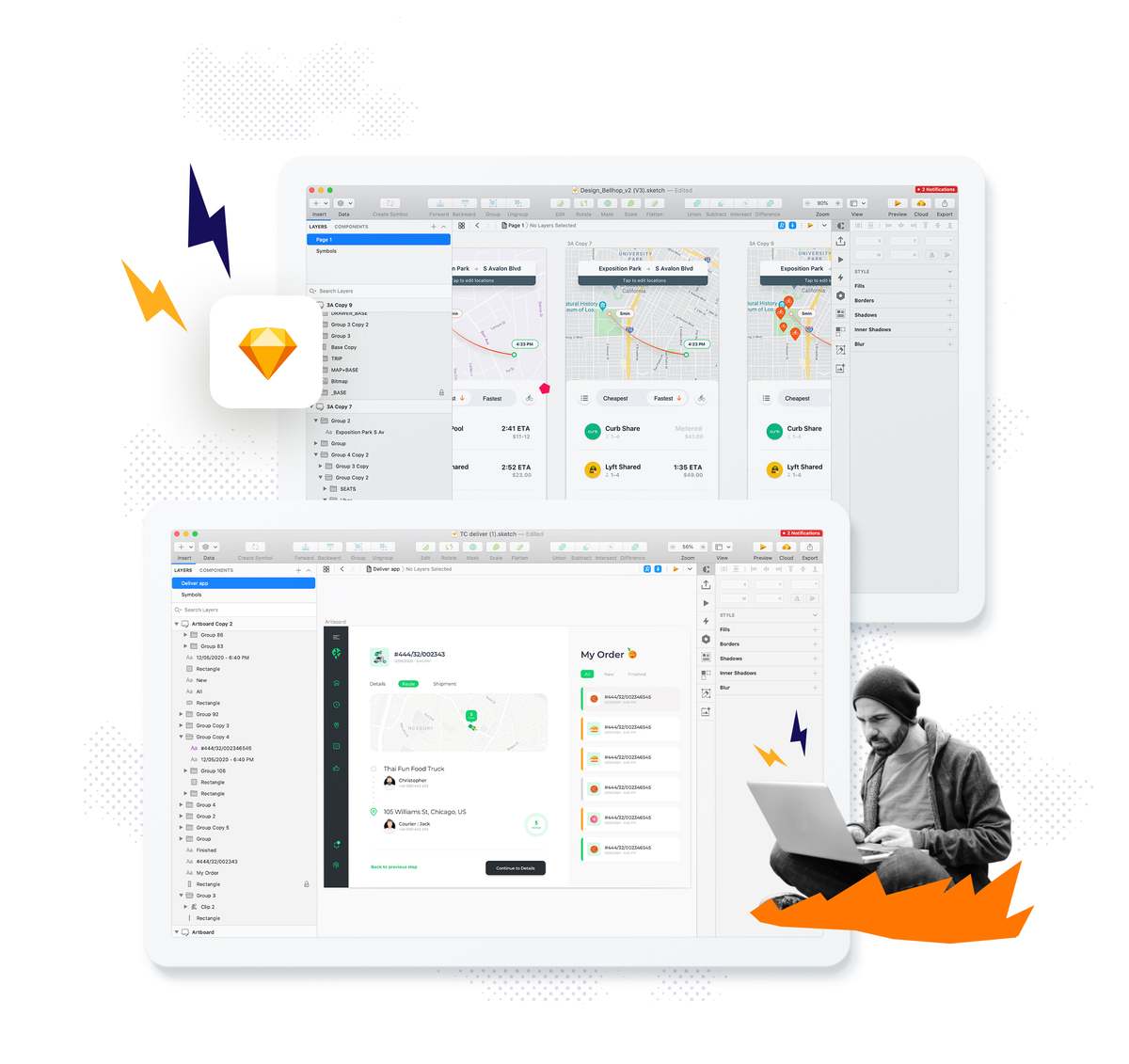
UX design research isn’t a phase that happens before development. It’s a continuous practice that runs alongside development.
Here’s how modern teams make it work:
The UX Design Dual-Track Approach
UX Design Discovery Track:
- Product managers and designers run weekly user interviews
- Test assumptions and explore new opportunities
- Create validated prototypes
Delivery Track:
- Engineers build and ship features
- Work from validated UX designs, not guesses
- Focus on technical excellence
These UX design tracks run in parallel. Discovery is always 1-2 sprints ahead of delivery.
The Opportunity Solution Tree
Teresa Torres’ framework for continuous discovery:
- Define Your Outcome
- Pick one metric to improve (e.g., “reduce churn by 10%”)
- Map Opportunities
- What customer needs, pain points, or desires could influence that metric?
- Generate Solutions
- Brainstorm multiple ways to address each opportunity
- Run Experiments
- Test the riskiest assumptions with small experiments
- Learn fast, fail cheap
This shifts the conversation from “Should we build feature X?” to “Which opportunity should we address first?”
When to Research in the Product Lifecycle
Pre-Development:
- Validate the problem exists
- Understand user mental models
- Test early concepts
During Development:
- Usability test prototypes and beta versions
- Validate specific interaction patterns
- Catch issues before they’re in production
Post-Launch:
- Monitor analytics for unexpected behavior
- Interview users about their actual experience
- Identify opportunities for improvement
Working with Your Development Team on UX Design
Developers often resist UX design research because they see it as ‘slowing them down.
Here’s how to get buy-in:
Show, Don’t Tell
- Invite developers to watch usability tests
- Share video clips of users struggling
- Nothing converts a skeptic like seeing real pain
Speak Their Language
- Frame UX design research findings as ‘bugs in the design
- Quantify the cost of fixing issues later vs. now
- Connect UX design insights to technical decisions they need to make
Make It Collaborative
- Include developers in synthesis sessions
- Ask for their input on feasibility
- Respect their expertise on implementation
“The best product teams don’t have a ‘voice of business’ fighting a ‘voice of customer’ fighting a ‘voice of engineering.’ They have one team working from shared evidence toward a common outcome.”
Common UX Design Research Mistakes (And How to Avoid Them)

Let’s talk about how people screw this up.
Mistake 1: Asking Leading Questions
What it looks like:
- “Don’t you think it would be great if we added [feature]?”
- “You’d definitely use this, right?”
Why it’s bad: People want to be nice. They’ll agree with you even if they don’t mean it.
How to fix it: Ask open-ended questions about behavior:
- “How do you currently solve this problem?”
- “Walk me through the last time you did this.”
Mistake 2: Confirmation Bias
What it looks like:
- Only talking to users who love your idea
- Dismissing negative feedback as “they just don’t get it”
- Cherry-picking quotes that support your decisions
Why it’s bad: You’re not learning—you’re just collecting evidence for what you already believe.
How to fix it: Actively seek out skeptics. Ask “What would make this useless to you?” Treat disconfirming evidence as gold.
Mistake 3: Testing Too Late
What it looks like:
- Waiting until everything is built to get user feedback
- Treating research as a “final check” before launch
Why it’s bad: By the time you discover problems, they’re expensive to fix. You’ve already invested in the wrong direction.
How to fix it: Test early with rough prototypes. Run small tests throughout development, not one big test at the end.
Mistake 4: Not Involving Stakeholders
What it looks like:
- Researchers work in isolation
- Present findings in a 50-slide deck nobody reads
- Wonder why recommendations aren’t implemented
Why it’s bad: If stakeholders don’t see the research happen, they won’t trust the results.
How to fix it: Invite executives to watch usability tests. Do collaborative synthesis. Make research visible and participatory.
Mistake 5: Ignoring Negative Feedback
What it looks like:
- “That user was just confused.”
- “They’ll figure it out eventually.”
- “We can’t please everyone.”
Why it’s bad: If multiple users struggle with the same thing, it’s not them—it’s you.
How to fix it: Document every instance of confusion. If 2+ users hit the same problem, it’s a pattern that needs fixing.
UX Design Research on a Startup Budget

“This all sounds great, but we have $0 for research.”
I get it. Here’s how to do lean UX design research:
Free and Low-Cost UX Design Methods
User Interviews
- Cost: $0-500
- Recruit from your network, social media, or relevant communities
- Offer small incentives (coffee cards, early access)
- 5 interviews will teach you more than 100 survey responses
Hallway Testing
- Cost: $0
- Grab anyone who isn’t on your team
- Have them try to complete a task
- Watch where they get stuck
Analytics Deep Dive
- Cost: $0 (if you’re already tracking)
- Look for drop-off points in your funnel
- Identify features nobody uses
- Find pages with high bounce rates
Guerrilla Testing
- Cost: $0-100
- Go to a coffee shop where your target users hang out
- Offer to buy their coffee for 10 minutes of feedback
- Works surprisingly well
When to Invest More
As you grow, consider investing in:
User Testing Platforms
- UserTesting.com, Maze, Lookback
- $50-100 per test, but you get results in hours
- Great for quick validation
Research Tools
- Dovetail for synthesis and repository
- Optimal Workshop for card sorting and tree testing
- Hotjar for session recordings
Participant Recruitment
- User Interviews, Respondent
- Access to millions of screened participants
- Worth it when you need specific demographics fast
UX Design DIY vs. Hiring Experts
Do it yourself when:
- You’re pre-product-market fit
- You need to move extremely fast
- You have someone on the team with research skills
Hire experts when:
- You’re making bet-the-company decisions
- You need specialized methods (eye tracking, biometric testing)
- You want an outside perspective free from internal bias
Partner with a development team that includes UX when:
- You need research integrated with development
- You want continuous discovery, not one-time studies
- You need someone who understands both user needs and technical constraints
“The cheapest research is the research you do before building. The most expensive research is realizing you built the wrong thing after launch.”
FAQ: Your UX Design Research Questions Answered
What is the UX research process?
The UX research process is a systematic approach to understanding user behavior, needs, and pain points through methods like interviews, usability testing, and observation. It typically includes four phases: Discovery (proto personas), Exploration (user interviews), Validation (usability testing), and Synthesis (turning insights into action).
What are proto personas and how are they different from regular personas?
Proto personas are assumption-based user models created before extensive research, while validated personas are built from actual user data. Proto personas are your team’s “best guess” documented in a structured format—they’re meant to be tested and updated as you learn more.
How many users do I need for usability testing?
For qualitative testing (finding usability problems), 5 users will reveal 85% of issues. For quantitative testing (measuring success rates), you need 20-40 users minimum. Most startups should run multiple rounds of 5-user tests rather than one large study.
When should I do UX research in the product lifecycle?
Always. But specifically:
- Before development: Validate the problem exists
- During development: Test prototypes and catch issues early
- After launch: Monitor analytics and interview users about their experience
The goal is continuous discovery, not research as a one-time phase.
Can I do UX research with a limited budget?
Absolutely. Start with:
- Free user interviews with people in your network
- Guerrilla testing at coffee shops
- Analytics analysis to find drop-off points
- Hallway testing with anyone not on your team
Even $500 can fund 5 user interviews that transform your product direction.
What’s the biggest mistake teams make with UX research?
Testing too late. Waiting until everything is built means problems are expensive to fix. The second biggest mistake is asking users what they want instead of observing what they actually do.
How do I recruit participants for user research?
Free methods:
- Post on LinkedIn and Twitter
- Join relevant Slack/Discord communities
- Ask your network for introductions
Paid platforms:
- User Interviews ($75-150 per participant)
- Respondent (great for B2B)
- Askable (end-to-end management)
Budget $50-100 per 30-minute interview.
What questions should I ask in user interviews?
Focus on past behavior, not future predictions:
- “Walk me through the last time you [did this task]”
- “What happened first? Then what?”
- “What was frustrating about that?”
- “Why did you choose that approach?”
Avoid: “Would you use this?” or “What features do you want?”
How do I know if my UX research is working?
Look for:
- Fewer surprises at launch
- Higher conversion rates
- Reduced customer support tickets
- Faster development (less rework)
- Teams making decisions based on evidence instead of opinions
Should I hire a UX researcher or work with a development partner?
Hire a researcher if:
- You have a dedicated product team
- You need ongoing, specialized research
- You’re post-product-market fit
Partner with a development team that includes UX if:
- You need research integrated with development
- You want end-to-end product development
- You need both strategic UX and technical execution
The Bottom Line: Research Is Your Competitive Moat
Here’s what I want you to remember:
UX design research isn’t a luxury. It’s the difference between building something people want and burning through your runway on something nobody needs.
The companies that win aren’t the ones with the best ideas. They’re the ones who validate their ideas fastest, learn from users continuously, and ship products that solve real problems.
You don’t need a massive budget. You don’t need a PhD in human-computer interaction. You need:
- A commitment to testing assumptions
- The humility to admit when you’re wrong
- A process for turning insights into action
Start small:
- Create proto personas this week
- Interview 5 users next week
- Test your designs with real people before you build
- Make this a continuous practice, not a one-time project
The startups that survive aren’t the ones that code the fastest—they’re the ones that do UX design research the fastest. They’re the ones that learn the fastest.
And learning starts with listening to users.
Need help integrating UX research into your product development process?
At Iterators, we don’t just build software—we build the right software. Our teams combine deep technical expertise with user-centered design, ensuring that what we build actually solves real problems.
We’ve helped companies from early-stage startups to enterprise organizations validate ideas, design intuitive experiences, and ship products that users love.
Schedule a free consultation to talk about your product challenges. We’ll help you figure out what research you actually need and how to integrate it with development without slowing down.
Want to dive deeper into product development best practices? Check out these related articles: