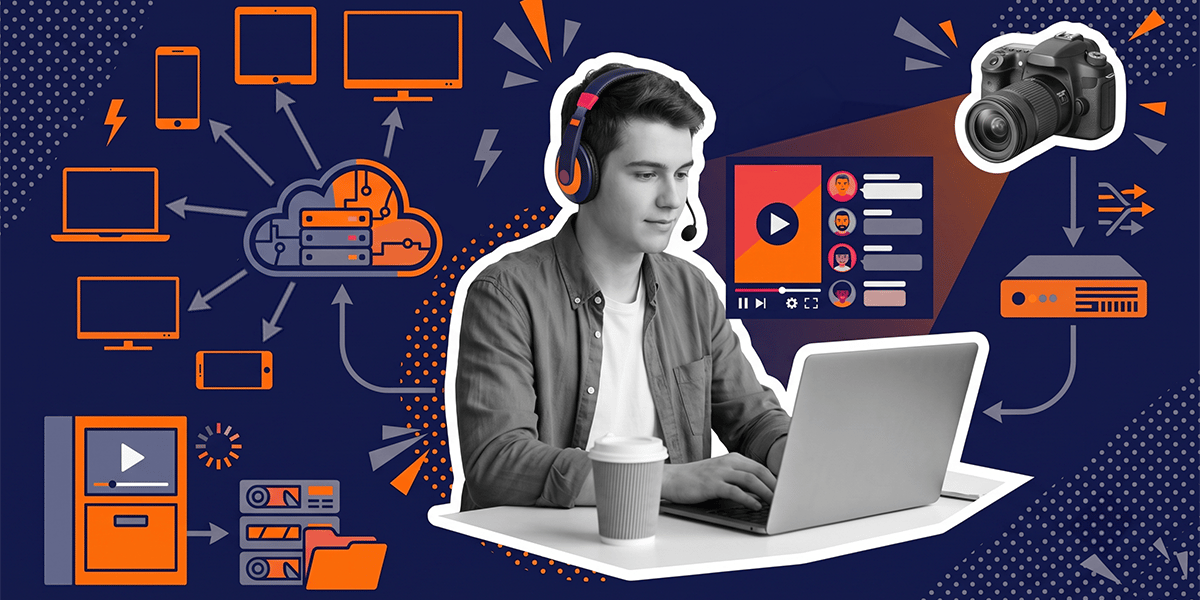

Every team I’ve worked with that underestimated live streaming made the same mistake: they looked at their video-on-demand (VOD) platform and said “we already have the player, the content delivery network (CDN), and the backend. We just need to make it real-time.” Three months later they were debugging audio sync failures during a live event with a large concurrent audience and no rollback plan.
Live streaming architecture is not VOD with a stopwatch. It is a different class of distributed systems problem. The gap shows up during launch, when users are already watching.
This article is for CTOs, founders, and product leads who are either building a live streaming platform from scratch or adding live to an existing video product. The goal is to give you a concrete picture of where the complexity actually lives, before you find out the hard way.
What VOD Architecture Actually Is
VOD is file delivery with good UX on top.
A user uploads a video. Your system encodes it into multiple resolutions, packages it into segments, and stores those segments on a CDN. When a viewer hits play, the player fetches a manifest file, picks the right bitrate for their connection, and downloads segments in sequence. If a segment download fails, the player retries. If the network is slow, the player buffers. The viewer might wait slightly longer than expected. They don’t notice.
The architecture is forgiving because the content already exists. Every segment is pre-encoded, pre-positioned on the CDN, and ready before the first viewer ever arrives. VOD traffic is usually asynchronous, spread across time zones and viewing schedules, so a CDN can absorb demand over time. The origin server is rarely under serious pressure once popular content is cached.
This forgiveness is structural, not incidental. VOD tolerates errors because errors can be absorbed before the viewer ever sees them.
What Live Streaming Architecture Actually Is
Live streaming is the real-time transmission of an event that does not yet exist.
The content is created at the moment of capture. Your architecture must ingest it, encode it, package it, distribute it globally, and render it on viewer screens while the event is still happening. There is no pre-positioning. There is no retry window that the viewer won’t notice. There is no buffer large enough to hide a transcoder delay.
Live streaming architecture is the end-to-end system that captures, encodes, ingests, processes, distributes, monitors, and displays video in near real time while simultaneously supporting audience interaction, access control, scaling, and failure recovery, all at once, with no pause button.
The caching dynamics flip entirely. During a live event, viewers request the newest short video segment at nearly the same moment. CDN edges need to absorb repeated requests there. If your origin server is not protected by origin shielding, which routes origin-bound requests through a cache layer, that synchronized “thundering herd” of requests will hit it directly and can collapse it in one spike.
That is the first thing VOD teams miss. CDN behavior for live streaming is not a scaled-up version of CDN behavior for VOD. It is a different problem.
Live Streaming vs. VOD: The Core Differences
| Area | VOD | Live Streaming |
|---|---|---|
| Content state | Finished file | Real-time event |
| Latency tolerance | Seconds of buffering are acceptable | Seconds can ruin interaction |
| Failure handling | Retry, reprocess, re-upload | Recover while users are watching |
| CDN behavior | Asynchronous, lower origin pressure after caching | Synchronized, high edge absorption required |
| Encoding | Offline batch processing | Real-time, CPU/GPU-bound, no retries |
| UX | Watch, pause, resume | Watch, react, chat, buy, subscribe |
| Testing | Simulate offline | Requires real concurrency and network variance |
| Moderation | Post-upload review | Real-time abuse control |
The key point: live is not a media problem. It is a system coordination problem. Every subsystem has to work simultaneously, under load, with no margin for the kind of graceful degradation that VOD architecture takes for granted.
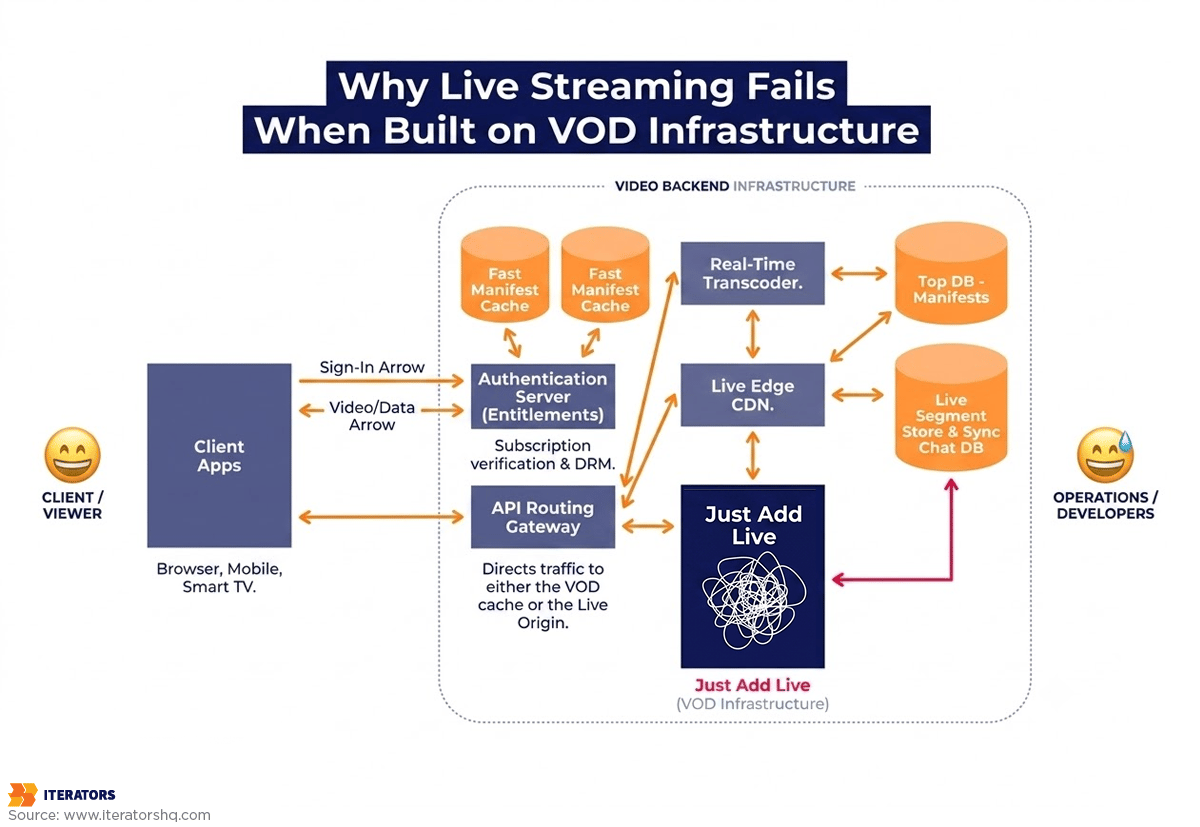
The Stack Teams Underestimate
Capture, Encoding, and RTMP (Real-Time Messaging Protocol) Ingest
The stream can fail before it ever reaches your cloud.
Most live streaming platforms ingest via Real-Time Messaging Protocol (RTMP), the protocol that OBS, streaming encoders, and mobile broadcast apps have used for years. RTMP is reliable under stable conditions. Under unstable conditions, for example a broadcaster on a hotel WiFi, a creator streaming from a mobile hotspot, or a corporate event on shared office internet, it degrades fast.
When the broadcaster’s upload connection drops packets, the ingest server records dropped frames. That degradation propagates downstream immediately. By the time the viewer sees stuttering, the problem is already baked into the stream. There is no re-upload.
A production-grade ingest layer needs stream health monitoring at the point of ingestion, adaptive bitrate (ABR) controls that can signal the broadcaster’s encoder to reduce quality before the stream breaks, and fallback behaviors for reconnection. None of this exists in a standard VOD upload pipeline.
SRT (Secure Reliable Transport) is increasingly used as an alternative to RTMP for unstable network conditions. It adds forward error correction and retransmission at the protocol level. Worth knowing before you commit to an ingest architecture.
Real-Time Transcoding and Adaptive Bitrate
VOD transcoding is a batch job. You can retry it, tune it, run it overnight, and validate the output before a single viewer sees it.
Live transcoding is synchronous with the event. The transcoder must decode the incoming feed and simultaneously encode it into multiple resolution tiers: 1080p, 720p, 480p, 360p, in real time, on every incoming frame. CPU and GPU costs are not a post-launch optimization problem. They are a launch-day cost you need to model before you build.
One specific failure mode that teams hit: irregular keyframe intervals. Live encoders often have scene-change detection enabled by default. When a scene changes dramatically, the encoder inserts an extra keyframe. This disrupts the Group of Pictures (GOP) structure that low-latency players depend on for segment alignment. The result is playback stalls and adaptive bitrate (ABR) algorithm failures. You won’t see it in testing unless you test with realistic broadcast content, not a static test card.
Origin, CDN, and Edge Delivery
CDN is necessary. CDN is not sufficient.
For live streaming, the origin server is the source of truth for the most recent video segments and manifest files. Players poll the manifest at high frequency. In low-latency configurations, that frequency is high enough that poorly configured caching multiplies requests quickly. Under peak join traffic, manifest requests can overwhelm the origin even when segment delivery looks normal.
The Tyson vs. Paul event on Netflix is a useful public example of this class of failure. Public reporting after the event described playback stalls and audio-video synchronization issues. The operational lesson is the same: if you only monitor segment availability, you can miss manifest delivery problems. Players can fail to get updated manifests even when video segments are present at the edge. The problem can sit in the manifest layer, a distinction that only matters if you’ve built live at scale before.
Origin shielding, request collapsing, and aggressive edge caching for manifests are not optional features. They are foundational to live streaming architecture at any meaningful scale.
Player Experience, Sync, and Device Support
Low-latency live streaming forces the player to operate on a shallow buffer, sometimes under one second. That eliminates the margin that ABR algorithms normally rely on to make smooth quality transitions.
In VOD, the player has a 15–30 second buffer. The ABR algorithm can afford to wait for a few seconds of data before deciding to switch bitrates. In low-latency live, that luxury doesn’t exist. Under network congestion, a poorly tuned ABR algorithm will oscillate between quality tiers or collapse to the lowest available resolution, creating a worse viewer experience than a slightly higher latency would have.
Mobile adds another layer. Battery optimization protocols on iOS and Android will aggressively throttle background processes, including video decoding. Hardware-accelerated decoding is critical for preventing battery drain, but accessing it requires platform-specific native APIs that cross-platform frameworks don’t always abstract cleanly. We’ve seen React Native apps with perfectly functional video playback in development that burned through battery in production because software decoding was falling back on certain device/OS combinations without throwing errors or emitting clear logs. This is the kind of issue that only surfaces with real device testing under real conditions, not simulator testing, not internal QA on a handful of office phones.
WebRTC Streaming vs. HLS and Low-Latency HLS (LL-HLS): The Protocol Decision
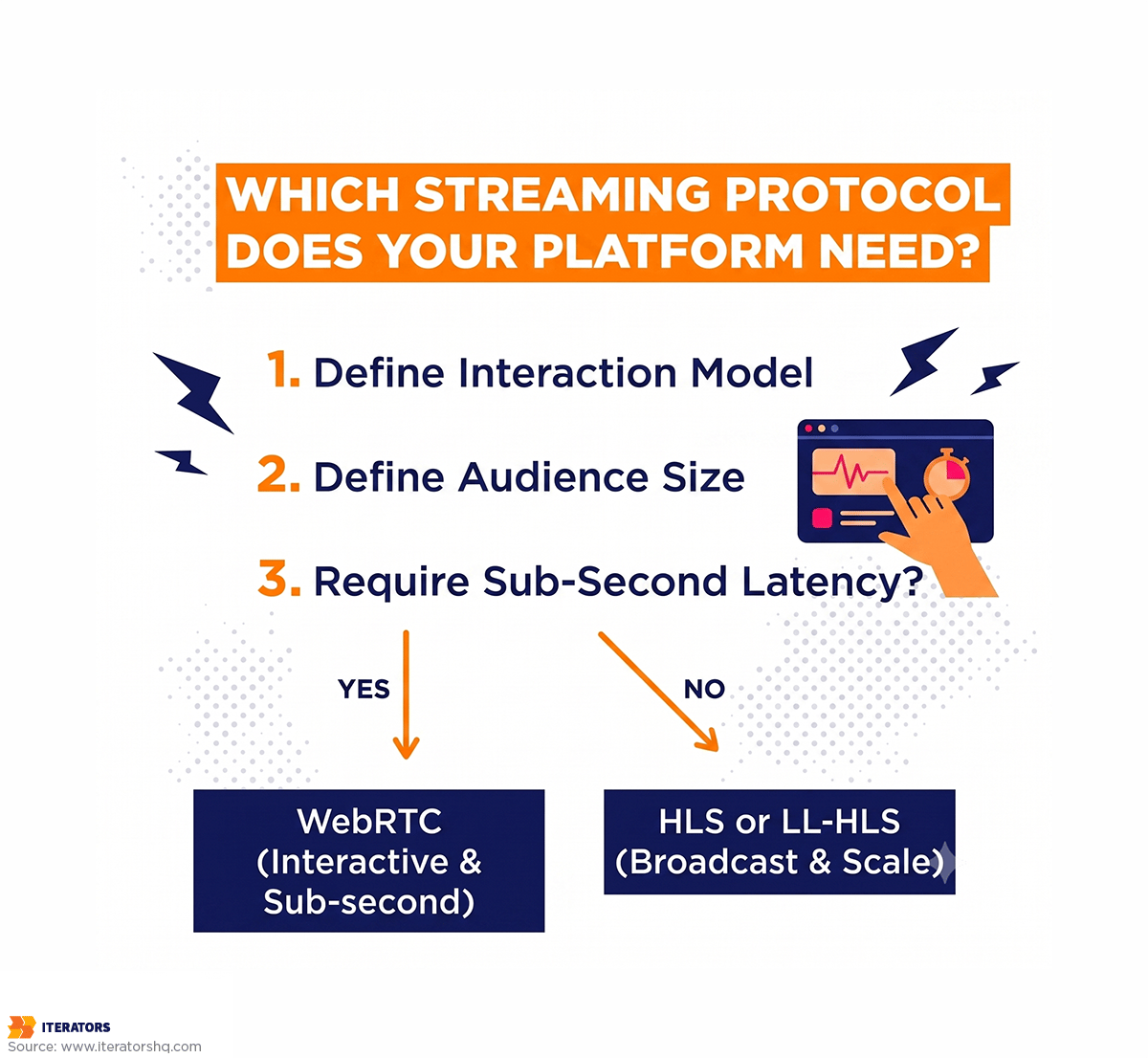
This is where most teams make their first architectural mistake: choosing a protocol based on marketing language rather than interaction requirements.
When WebRTC Makes Sense
WebRTC achieves sub-second glass-to-glass latency by bypassing the HTTP segmentation model entirely. It uses SRTP over UDP, prioritizing immediate transmission over guaranteed delivery, which eliminates the head-of-line blocking that TCP introduces.
Use WebRTC when the UX genuinely requires it:
- 1:1 video calls (telemedicine, legal consultations, coaching)
- Small-group interactive sessions where participants respond to each other
- Live auctions where bid timing is business logic, not just UX
- Gaming interactions where a 500ms delay changes the outcome
- Live classes where the instructor needs to respond to visible student reactions
The scaling constraint is real. Pure peer-to-peer WebRTC does not work for larger groups because each client must upload its stream to every other client. To scale WebRTC to larger one-to-many sessions, you need a Selective Forwarding Unit (SFU), a server that receives one upstream feed and fans it out to multiple downstream clients without re-encoding.
SFUs preserve low latency by avoiding decode/encode cycles, but they require you to build and operate a bespoke UDP-based delivery network. You cannot route WebRTC through a standard HTTP CDN. Session Traversal Utilities for NAT (STUN) and Traversal Using Relays around NAT (TURN) servers are required to traverse corporate firewalls and NAT configurations. The MDN WebRTC API documentation covers the signaling mechanics, but the operational complexity of running WebRTC infrastructure at scale is a separate engineering problem that the documentation doesn’t address.
For a platform like a telemedicine application, where the interaction model is 1:1 or small group, where a five-second delay feels clinically unsafe, and where the user count per session is bounded, WebRTC is the right choice. We’ve built this. The latency requirement alone justifies the infrastructure complexity.
For a platform with a large concurrent audience watching a live sports event, WebRTC is the wrong choice regardless of how “ultra-low latency” is framed in vendor material.
When LL-HLS or Standard HLS Makes More Sense
Apple’s HTTP Live Streaming (HLS) is the standard for large-scale one-to-many broadcasts. Standard HLS operates with 6-second segments and typically delivers 15–30 seconds of glass-to-glass latency. That’s acceptable for a corporate keynote or a one-way broadcast where no real-time interaction is expected.
Low-Latency HLS (LL-HLS) cuts latency to 2–5 seconds by replacing 6-second segments with 200–300 millisecond partial segments, delivered via HTTP/2 chunked transfer encoding. The player receives chunks as they are written to disk rather than waiting for a complete segment. This retains the HTTP CDN caching benefits of standard HLS while dramatically reducing latency.
The trade-off: LL-HLS forces the player onto a shallow buffer. ABR algorithms must be specifically tuned for low-latency operation. Default browser HLS implementations are not tuned for this. If you’re building LL-HLS, you’re building a custom player or configuring an existing player SDK with non-default parameters, and you need to test it under real network degradation, not just on a clean office connection.
The RTMP Question
RTMP is often dismissed as legacy, but it remains the dominant ingest protocol because creator tooling, including OBS, streaming hardware, and mobile broadcast apps, all support it natively. The distinction matters: RTMP is typically used for ingest (broadcaster to your cloud), not for playback delivery. Most modern platforms ingest via RTMP and deliver via HLS or LL-HLS. The two protocols serve different parts of the pipeline and are not in direct competition.
Why Product Features Multiply Complexity
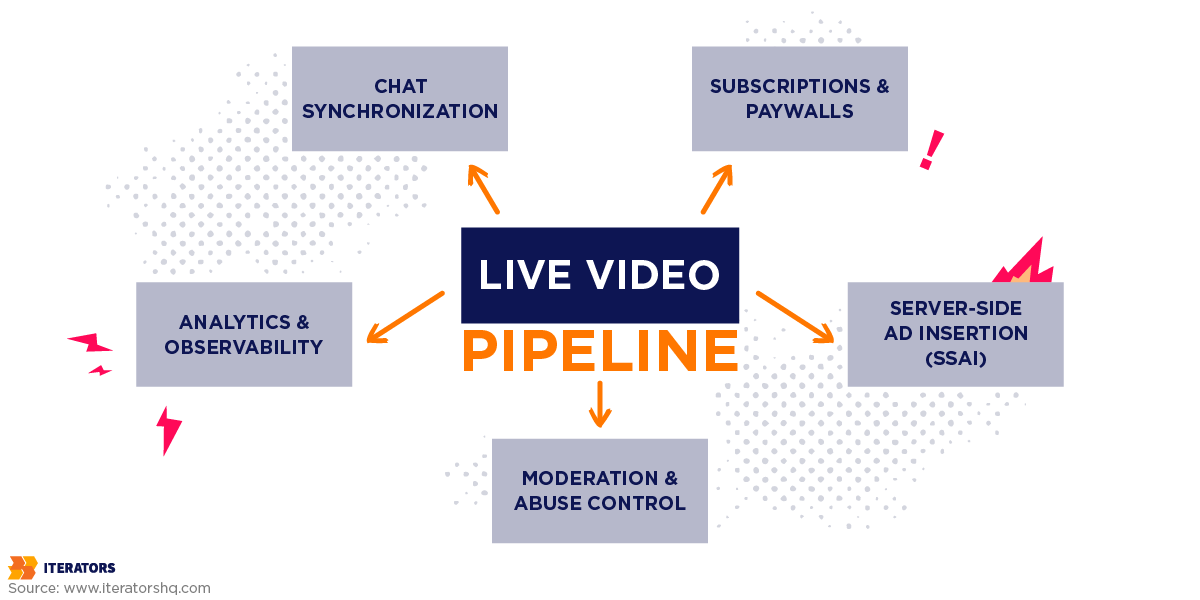
“With video streaming, there’s so much more happening than just video. It’s chat, subscriptions, moderation, ads, game integrations, paywalls, analytics, and the entire back office behind the viewer experience.” (Iterators streaming engineering team)
The video pipeline is the visible part. The rest of the system is what actually determines whether your platform works.
Chat Synchronization
Live streaming chat operates on WebSockets, persistent, bidirectional connections that deliver messages much faster than the video pipeline. Your video player, running LL-HLS, delivers content with 3–5 seconds of latency. If you don’t synchronize these two systems, viewers see chat reactions to events that haven’t happened yet on their screen.
Someone types “GOAL!!!” four seconds before the viewer sees the goal. The experience is broken, not because the video is broken, but because the timing relationship between the two systems is wrong.
Fixing this requires timestamp alignment logic that artificially delays WebSocket message delivery to match each viewer’s individual playback buffer position. That buffer position varies by device, network, and ABR state. This is not a simple offset. It is a per-viewer, per-session synchronization problem that needs to be designed into the architecture from the start, not retrofitted after launch.
On one Iterators project, basic WebSocket infrastructure in-house, not the synchronization logic, just the infrastructure, took roughly ten person-months of engineering effort. That number is not a benchmark. It’s a reminder to plan for the work.
Subscriptions, Paywalls, and Entitlements
Entitlement checks must execute in milliseconds during the video startup phase. If your paywall API takes hundreds of milliseconds to verify a subscription, that delay accumulates in the startup time. At scale, slow entitlement checks are one of the most common causes of elevated startup time metrics, and they’re invisible in testing because internal users are usually authenticated with elevated permissions that bypass the check.
Server-Side Ad Insertion (SSAI) adds another timing constraint. Ad markers in the live streaming, usually SCTE-35 metadata cues used to signal breaks or content transitions, must trigger ad breaks at the correct frame. If processing delays cause the marker to drift, the ad break fires early, overriding live content. For viewers using DVR-style catch-up, this desynchronizes the stream permanently. This is the kind of failure that looks like a video bug but is actually a timing bug in the monetization layer.
Moderation and Abuse Control
Moderation is not a feature you add before launch. It is an operational capability you build before launch.
Real-time abuse control requires monitoring text, audio, and potentially video simultaneously. AI moderation handles volume, flagging NSFW content, spam, and harassment at scale. Human moderators handle edge cases and appeals. The workflow connecting automated flags to human review queues to enforcement actions needs to be designed, tested, and staffed before your platform goes live.
The first time you skip this, you find out why it matters. Every major streaming platform has a story about this. You don’t want yours to be the first incident that forces the design conversation.
Scaling Live Streaming Architecture After Launch
The Celebrity Spike Problem
VOD traffic spikes are manageable because CDN caches absorb them. Content is pre-positioned. A sudden surge in viewers for a popular video means more cache hits, not more origin load.
Live traffic spikes are different. When a creator goes viral mid-stream, or a push notification goes out to a large audience, or a scheduled event starts, large numbers of viewers join in the same minute. They all request the same manifest file. They all request the same current segment. The CDN edge has to absorb this simultaneously, not over time.
Netflix’s Tyson vs. Paul event is the clearest recent public example of how live scaling assumptions fail under synchronized demand. Netflix operates one of the world’s most sophisticated CDN networks and helped pioneer chaos engineering. Public reporting still described playback stalls and audio-video synchronization failures during the event. The architecture that handles massive VOD demand is not automatically the architecture needed for a simultaneous live audience.
The lesson is not that Netflix failed. The lesson is that live streaming exposes architectural assumptions that VOD never tests.
p95 and p99 Latency: Why Averages Are the Wrong Metric
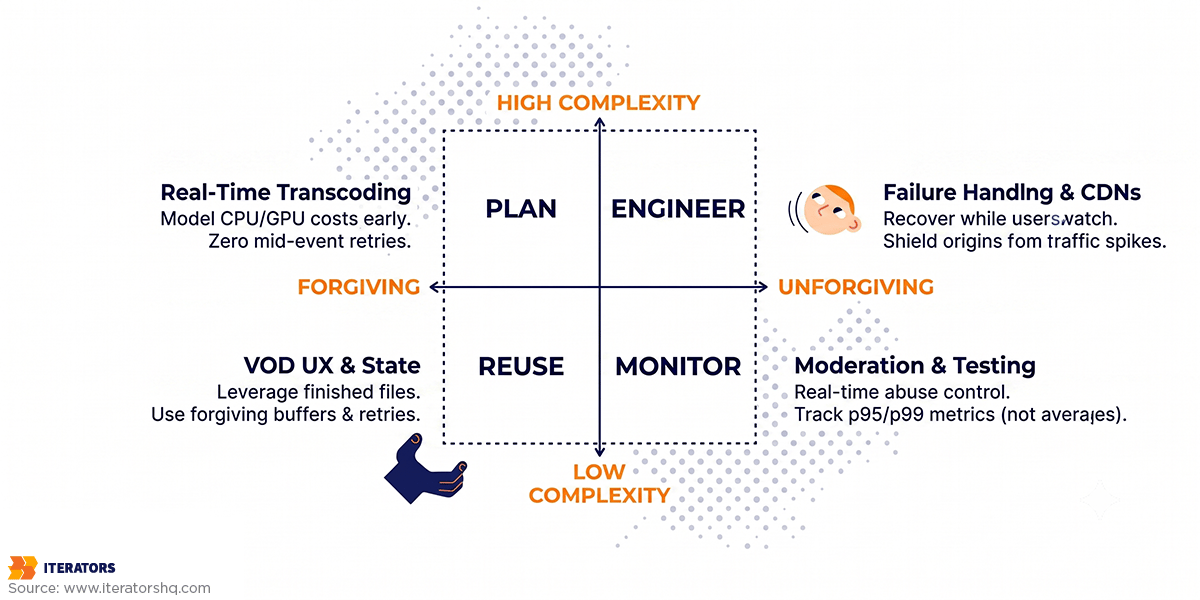
Average latency tells you that the aggregate can look acceptable. It tells you nothing about the users sitting in the tail.
At large concurrency, a p99 failure rate can still affect a large number of people. If your p99 manifest latency climbs while segment latency stays stable, you have a specific, diagnosable problem in the manifest delivery pathway. If you’re only monitoring average latency, you see a green dashboard while many viewers watch a broken stream.
Monitoring p95 and p99 latency separately for manifests, segments, chat delivery, and entitlement checks gives you the diagnostic resolution to find and fix problems before they cascade. Average metrics are useful for reporting. Percentile metrics are what you need during incident response.
As Werner Vogels, CTO of Amazon, put it: “Everything fails, all the time.”
Live streaming systems have to be designed with this as a given. If your ingest server, CDN route, chat service, or payment check fails during a live event, users don’t care which subsystem caused it. They see a broken stream. Your observability stack needs to tell you which subsystem failed within seconds, not after a post-mortem.
Observability Is Architecture, Not Monitoring
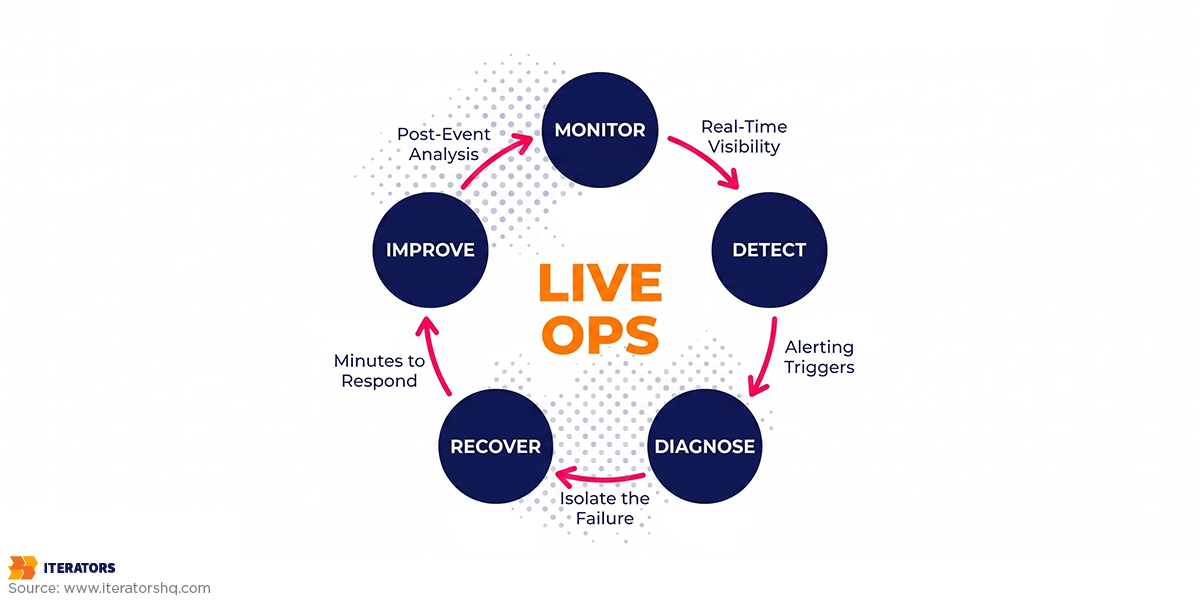
Structured logs, stream health dashboards, and alerting on specific failure modes are not ops concerns to address after launch. They are part of the architecture.
Metrics that matter in production:
- Video startup time (measure p95 during peak join windows)
- Rebuffering percentage (separate current concurrent viewers by geography and device class)
- Playback failure rate (track by geographic cluster and player version)
- p99 manifest latency vs. p99 segment latency (decoupling indicates origin pressure)
- Ingest failure rate and dropped frame count
- Chat delivery delay relative to video buffer position
- Entitlement check latency during stream startup
- Transcoder queue depth
Launching without these dashboards means the team has no fast way to separate ingest, origin, CDN, player, chat, and entitlement failures.
Common Live Streaming Architecture Mistakes That Blow Up After Launch
- Treating live as a feature inside a VOD platform. The infrastructure, the latency model, and the failure modes are different. Building live streaming on top of VOD architecture creates technical debt that compounds under load.
- Choosing WebRTC because “low latency sounds better.” WebRTC is the right choice for specific interaction models. For large-scale one-to-many broadcasts, the infrastructure cost and scaling constraints outweigh the latency benefit.
- Ignoring chat and stream synchronization. Chat that runs ahead of the video destroys the live experience. This is a design problem, not a bug fix.
- Forgetting moderation until the first incident. Moderation workflows need to be operational before launch, not designed in response to the first abuse event.
- Testing with five internal users instead of real concurrency. Internal testing doesn’t generate the manifest request volume, the synchronized segment requests, or the WebSocket connection count that real traffic creates. Load test with realistic concurrency clustering, not evenly distributed synthetic traffic.
- Monitoring averages instead of percentiles. An acceptable p50 with a broken p99 is a platform that looks fine and isn’t.
- Underestimating transcoding and CDN costs. Real-time transcoding at multiple resolutions, combined with CDN egress for high-concurrency events, costs significantly more than VOD processing at equivalent viewer counts. Model this before launch, not after the first invoice.
- Launching without incident response and rollback plans. When a live event breaks, you have minutes to respond. Operational runbooks, escalation paths, and defined rollback procedures need to exist before the event starts.
- Building subscription logic separately from stream access control. Entitlement checks that aren’t integrated into the stream startup flow create race conditions, authentication gaps, and startup latency. Design them together.
- Ignoring mobile network conditions. Office WiFi testing is not representative. Test under LTE throttling, packet loss, and network switching. Mobile users in poor network conditions are your highest-risk segment for rebuffering and startup failures.
Build, Buy, or Integrate
Build the full stack when streaming is your core IP, you need sub-second latency as a product differentiator, your monetization model requires custom entitlement logic that no managed provider supports, or you need enterprise-grade controls that SaaS vendors won’t give you.
Buy a managed platform when streaming is a commodity feature, you need speed to market over control, your interaction model is simple, and you can accept the vendor’s latency floor and feature constraints.
Integrate managed infrastructure with a custom product layer when you need a differentiated user experience: custom UX, custom payments, custom analytics, custom moderation workflows, but don’t want to own every media infrastructure component. This is the path most production-grade platforms actually take.
AWS Interactive Video Service and AWS Live Streaming on AWS handle the transcoding, packaging, and CDN delivery. Your engineering effort goes into the product layer: the player, the chat synchronization, the subscription and entitlement system, the moderation tooling, the analytics pipeline, the mobile applications.
This is where the choice of backend technology matters. Managing large numbers of concurrent WebSocket connections for live streaming chat alongside a real-time video pipeline requires a backend that handles high concurrency without the overhead that typical request/response frameworks accumulate under sustained load. We like Scala development for high-load systems in some of these backends because its type system, concurrency model, and JVM tooling help teams keep behavior explicit under load. It does not remove technical debt in software development. It helps make some classes of mistakes harder to hide when concurrency requirements change.
How Iterators Approaches Live Streaming Architecture
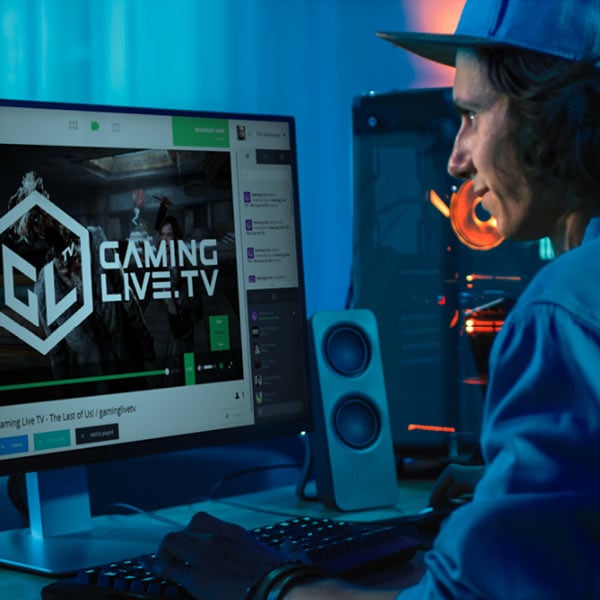
We built GamingLive.TV in 2015, a Twitch-style game streaming platform with sub-5-second latency for 1080p60 streams, real-time chat, subscriptions, and premium features. The CDN and infrastructure work involved collaboration with Level3 and major infrastructure providers. This was before LL-HLS existed. The latency targets we were hitting required custom player tuning and origin architecture that the standard tooling of the time didn’t provide out of the box.
We’ve also built secure real-time video communication for telemedicine, therapist/patient sessions where a five-second delay is not a UX problem, it’s a clinical problem. These platforms require a different set of constraints: end-to-end encryption, session reliability, mobile-first interaction, and a trust model that live entertainment platforms don’t need. Twilio integrations, React Native mobile development, and scalable application infrastructure are all part of that stack.
Our video streaming app development services span the full range from proof of concept to production-grade platforms:
| Tier | Focus | Example Deliverables |
|---|---|---|
| PoC | Basic stream flow validation | Working ingest-to-player pipeline, protocol selection validated |
| MVP | Adaptive bitrate, mobile, basic interaction | Deployable product for early users |
| Production | CDN, monitoring, analytics, moderation | Scalable platform ready for real traffic |
| State-of-the-Art | AI optimization, real-time interaction, predictive delivery | Competitive streaming infrastructure |
The software quality assurance process for live platforms is different from standard QA. Load testing needs to model realistic concurrency clustering, not evenly distributed synthetic traffic, because live events create synchronized spikes, not smooth curves. Service level agreements for critical systems need to account for the operational reality that a live event failure is not recoverable in the way a VOD outage is. You can’t replay a live event.
The React Native vs native mobile development question comes up on every streaming project. Our position: React Native works for streaming-adjacent features: discovery, profiles, chat UI, subscription management. For the video player itself, bridging to native APIs for hardware-accelerated decoding is non-negotiable on any platform where battery life and performance matter.
Live Streaming Architecture Launch Checklist

Before you go live, verify each of these:
Protocol and Latency
- Defined latency target based on interaction model (not based on what sounds impressive)
- Protocol selected based on that target, not based on marketing language
- Player tuned for the chosen protocol’s buffer requirements
Infrastructure
- Ingest layer with stream health monitoring and fallback behavior
- Real-time transcoding capacity modeled for peak concurrency
- Origin shielding and manifest caching configured at CDN edge
- Multi-region delivery tested with realistic geographic traffic distribution
- Failover paths tested with failure injection, not just happy-path testing
UX and Interaction
- Chat synchronization aligned with video buffer latency
- Mobile tested under throttled network conditions and packet loss
- Player startup time measured under peak join conditions
- Hardware-accelerated decoding verified on target device matrix
Monetization and Access Control
- Entitlement checks integrated into stream startup flow
- Paywall API load-tested at peak concurrency
- Subscription and access control logic tested as a unit, not separately
Moderation
- Real-time moderation tooling operational before launch
- Escalation and enforcement workflows documented and staffed
- Reporting workflows tested end-to-end
Observability
- p95 and p99 dashboards for manifests, segments, chat, and entitlement checks
- Alerting configured for rebuffering rate, startup time, and playback failure rate
- Incident response runbooks written and reviewed
QA and Load Testing
- Load tests executed with clustered regional traffic, not evenly distributed synthetic load
- Retry storm behavior tested (what happens when a million players reconnect simultaneously)
- Origin manifest spike tested well above expected steady-state concurrency
The teams that get live streaming right treat it as a systems engineering problem from day one, not a video feature, not a CDN configuration, not a player update. The video is the visible surface. The architecture underneath it is what determines whether a large audience has a good experience or whether your engineering team spends a live event watching dashboards and hoping nothing else breaks.
The expensive live streaming failures are rarely caused by one missing feature. They come from assumptions nobody tested under real traffic: latency, ingest, manifests, chat sync, entitlement checks, mobile networks, and incident response. Those assumptions need to be resolved before launch.